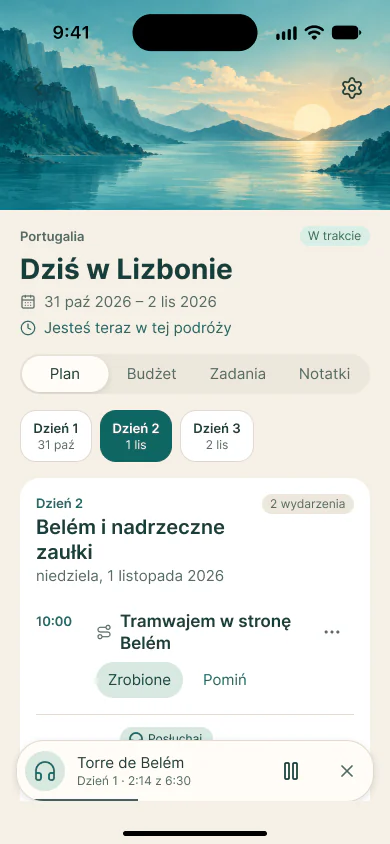
Day-by-day trip plan
Each day is its own timeline — drag places, add times, glue transport between them. No calendar wrestling, no vague "6 PM — sightseeing" lines. Your trip data is available offline when hotel wifi dies.
The app in action
Take a look inside the app — from daily itineraries to packing lists and group expenses.
Each day is its own timeline — drag places, add times, glue transport between them. No calendar wrestling, no vague "6 PM — sightseeing" lines. Your trip data is available offline when hotel wifi dies.
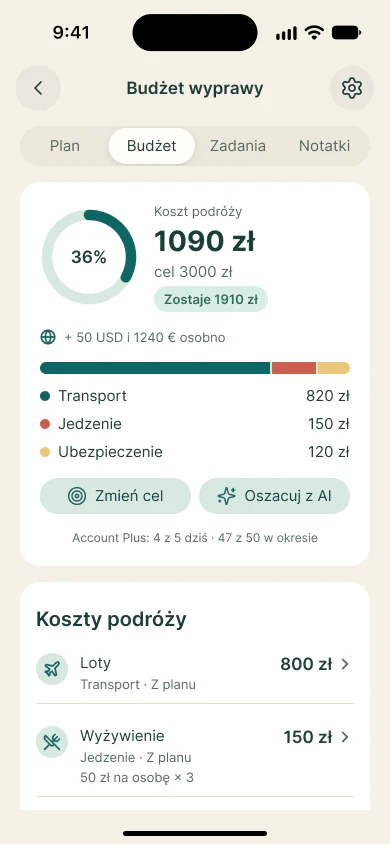
Trip cost against your budget goal, a breakdown by category and a list of costs — including those taken from the day plan. Change the goal or ask AI for an estimate.
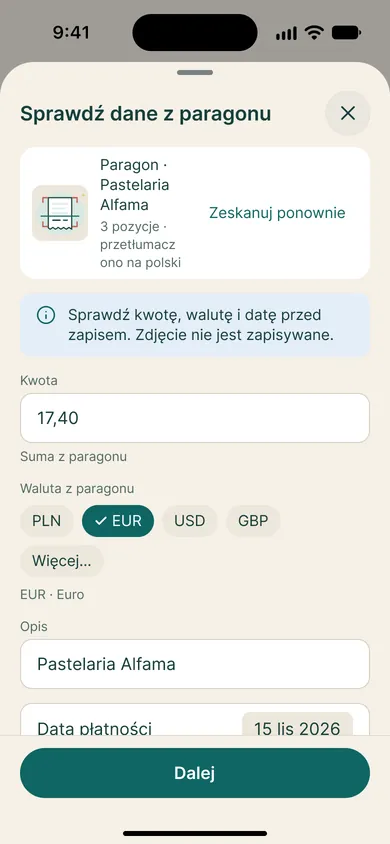
After AI scans a receipt, you check the amount, currency, description and date, fix anything and only then save the expense. The photo is not saved.
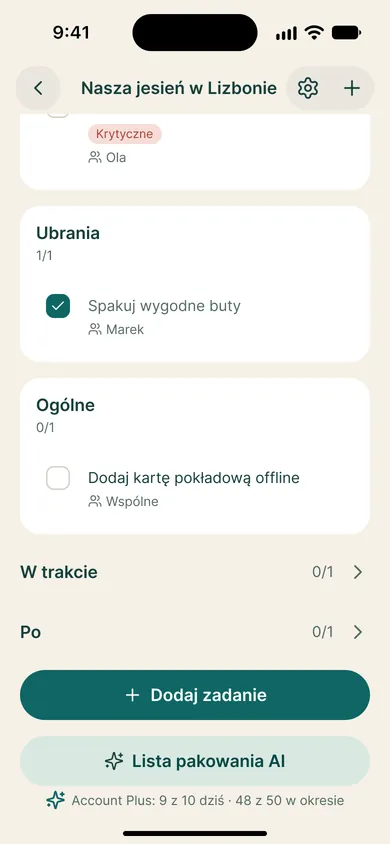
The Tasks tab: tasks in categories (e.g. Clothes, General), the Before, During and After stages, and assignment to a person or to everyone. Tick off what is done.
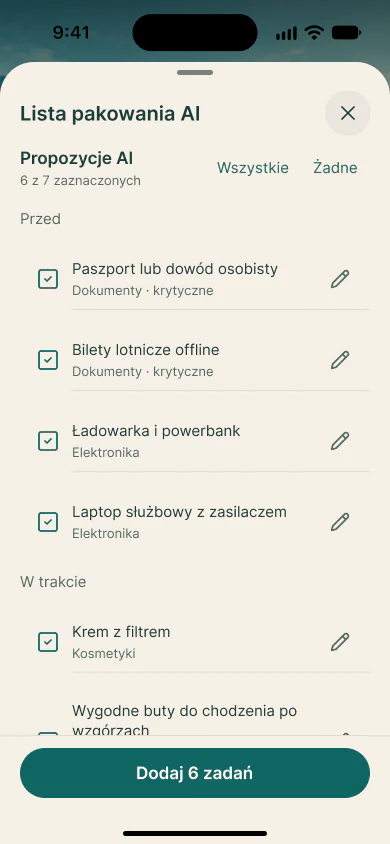
AI suggests tasks in the Before and During stages, in categories such as documents, electronics and toiletries. Tick what you want, add it to the list and edit any item.
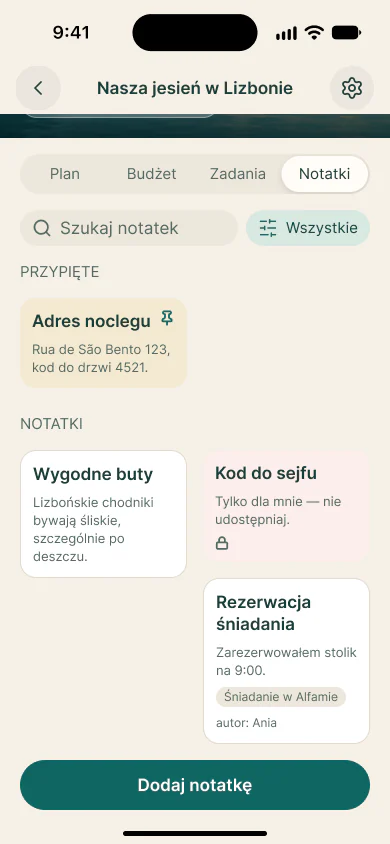
Note cards you can pin, colour-code and search. Perfect for "apartment address", "key code" and "tips from a friend who was here last year".
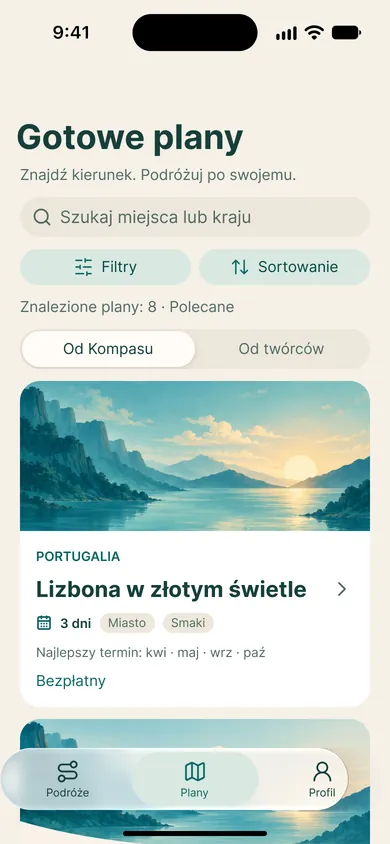
Ready-made trip templates — clone a battle-tested plan in 30 seconds and tweak it. No blank-page paralysis.
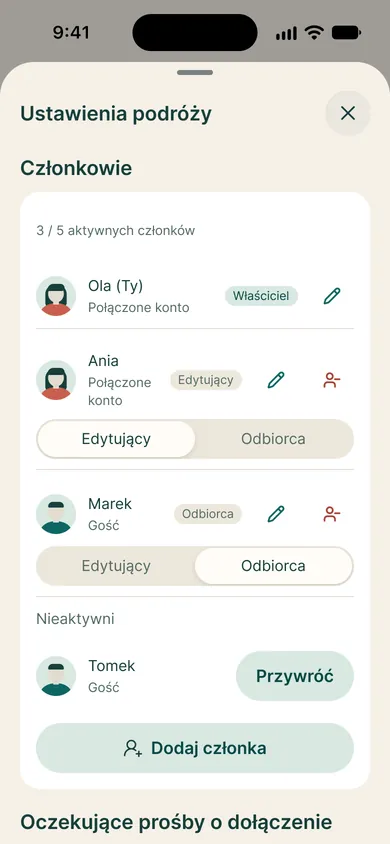
The trip member list with the roles Owner, Editor and Viewer — switch a role with one tap. Add members with a button, restore inactive ones and see join requests.
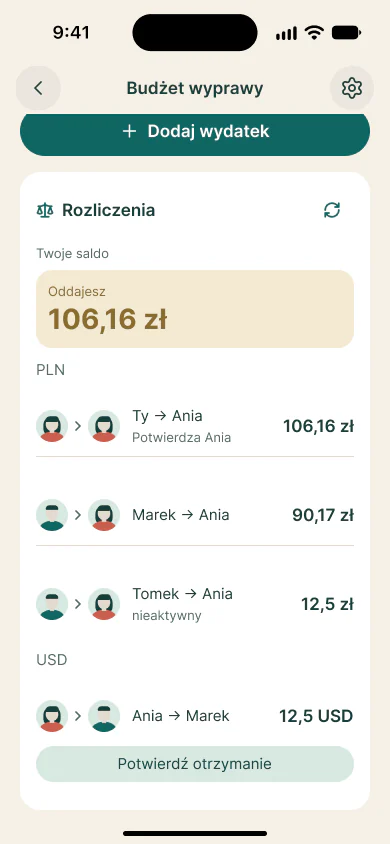
Your balance and a list of transfers: who pays whom and how much, per currency (PLN, USD). The person owed the money confirms receipt in the app.
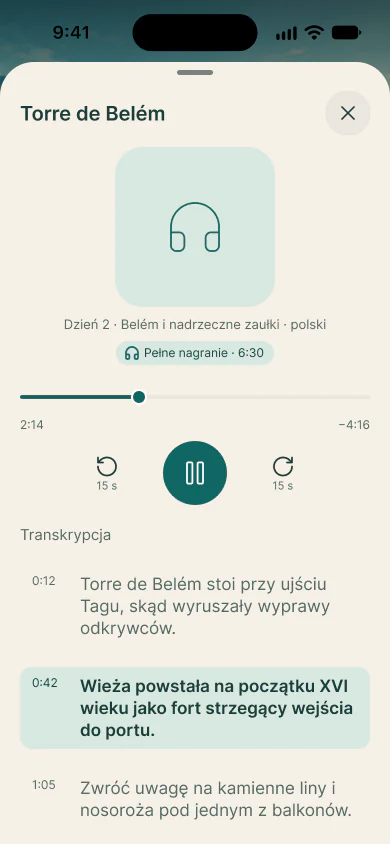
Hit play at each spot on the itinerary — AI narrates the landmark's history, recommends local restaurants, explains cultural context. No shared headphones, no pricey guide.
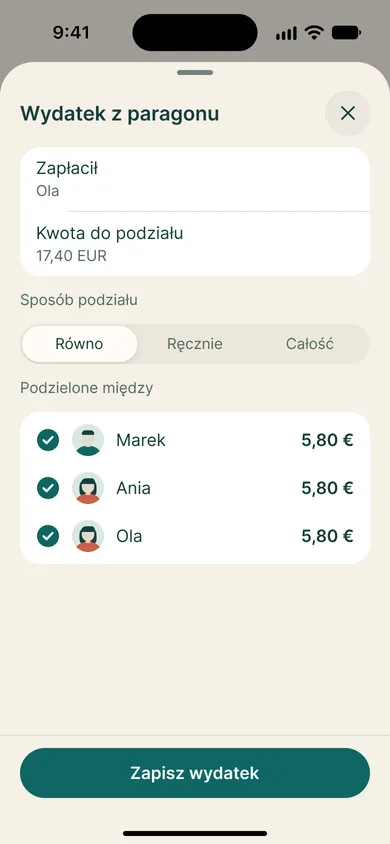
A receipt expense: you see who paid and split it equally, manually or all on the payer (here equally — €5.80 each).
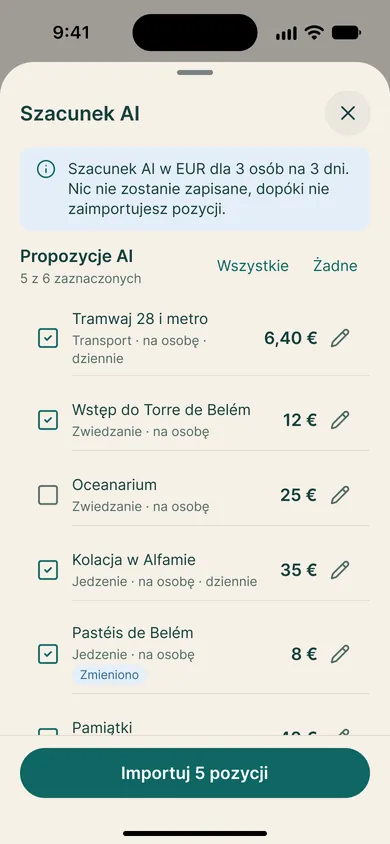
An AI estimate for your trip: suggested cost items with categories and amounts. Tick what fits and import it into the budget — nothing is saved until you import.
Every screen in this gallery shows a real feature you will use when planning a trip. In offline mode your daily plan and packing list stay accessible without internet, and changes sync automatically when you reconnect. To see what a ready-made itinerary looks like in practice, browse the trip templates catalog and explore pre-built routes across Europe, ready to clone.
Creating an account takes 30 seconds. Itinerary, budget and packing list — all free.
